Start here
patriot.plus LIVE runs a meeting on three screens. You build the night on a laptop, you run it from a control room, the projector shows the room where it is, and everybody answers from their own phone. Nobody in the room installs anything.
This guide assumes you have never opened the product before and the meeting starts in ten minutes. Work down this page and you will be running. Every other page here goes deeper on one screen.
From Create to the K.O. is one whole meeting as a screen recording: the event made on the dashboard, The Debate added in the builder and set to the arcade look, the lobby opened, the projector put up, four phones joining by code, the opening poll, the debate, and the knockout at the end. It is silent, nothing in it is sped up, and it does not start until you press it. Nobody in it is a real person.
The ten minute path
- Sign in. Go to
/admin/liveand press Sign in. Officer accounts are added by a platform admin, by email. If you land on a page that says No officer access, your account exists but is not on your chapter's officer list yet, and somebody with chapter access has to add it. - Make the event. Press Create event. Give it a title, a date and time, and pick Standard GBM under Start from. That is nine rounds that already work: a welcome, an opening poll, the room writing arguments, the room voting on them, a discussion, the same poll again, the shift between the two, a leaderboard and a closing card. Press Create & open builder.
- Fill the blanks. The builder opens on the rundown. Click a round on the left, edit it in the middle, and watch the projector preview on the right change as you type. If you would rather add a whole shape of meeting at once, press Add round, switch to A whole format, pick one, and fill in the handful of fields it asks for. A format will not go into the rundown until the fields marked required are filled.
- Open the lobby. Press Start event. The pre-flight list runs every round and says what is wrong. Anything red has to be fixed first. Press Open lobby and you land in the control room.
- Put the projector up. On the display machine, press Open projector in the control room header, or open the same link in a browser on that machine and drag it to the second screen. Then click that screen once. A browser will not make a sound until somebody has clicked the page, and the whole night has sound cues on it.
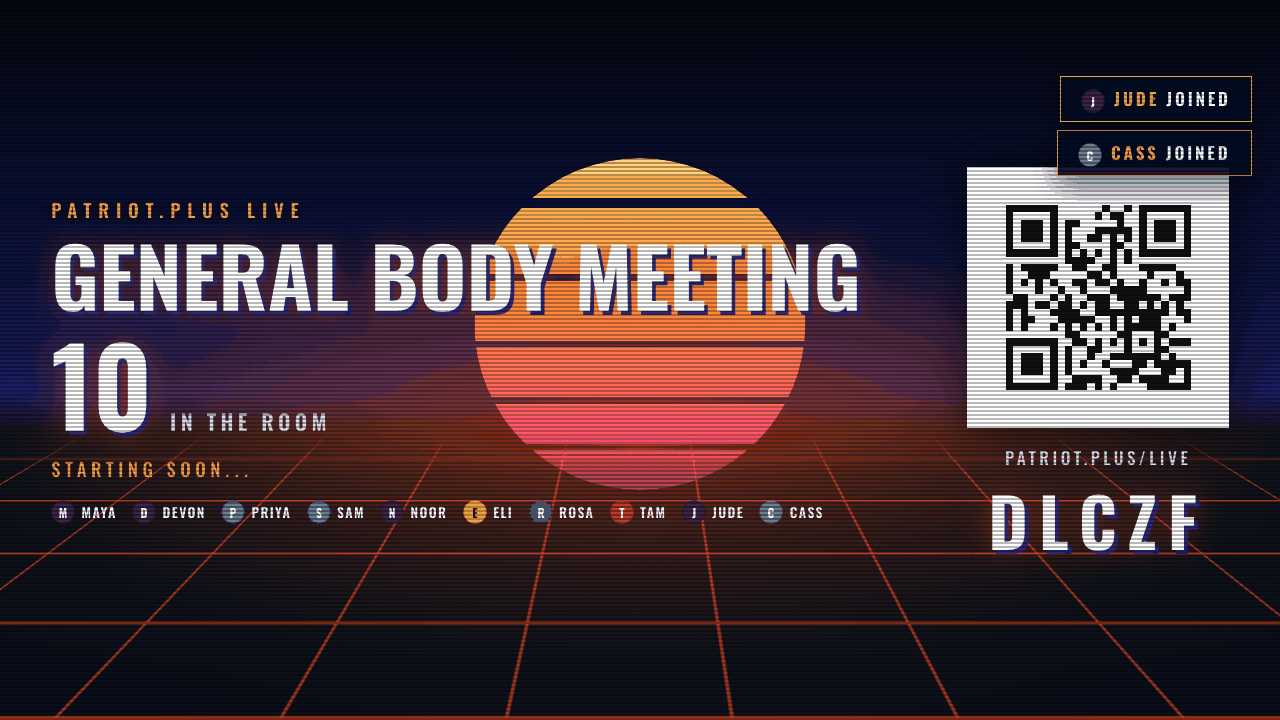
- Join from your own phone. The lobby screen carries the join code and a QR code. Scan it, or
type
patriot.plus/liveand the five letters. Do this yourself before the room arrives, so you know it works. - Run it. When the room is in, press Start show, then run the night on six keys: Space for the next round, O to open answers, L to lock them, R to reveal the result, T for the clock, and B if something is on the wall that should not be.
What lives where
- The dashboard
- Every meeting your chapter has, by where it is in its life. Start here every time.
- The builder
- One meeting's running order. Rounds, formats, slides, and the night's look.
- The control room
- The desk you run the meeting from. Open, lock, reveal, the clock, the panic key.
- The projector
- What the room sees. It shows whatever the control room puts on it and takes no input.
- The phone
- What each person in the room holds. Join by code, answer, and that is all.
Practise first, if you have an hour
Any event has a Rehearse button, on its row in the dashboard and in the builder toolbar. It copies the event, opens its control room with twenty five test players already seated, and marks the whole thing a rehearsal. Test players answer with placeholder text and never with a political opinion, and nothing from a rehearsal is ever written down. Press every key in a rehearsal once and the real night stops being frightening.
Read the code twice and leave it on screen until the join count stops climbing. Then say that answers are anonymous and only totals are ever shown, because it is true and because it changes how many people answer the first question.